

Description
Download Ghibli Styles AI Photo Editor – AI art generator, text to image, Ghibli style, AI photo editor, creative tool, image generator
Overview
Ghibli Styles AI Photo Editor is a desktop application designed to transform text prompts into visually striking artwork, inspired by the iconic aesthetic of Studio Ghibli. The software enables users to generate unique images by describing scenes, characters, or environments in simple language. This tool is particularly useful for individuals seeking creative expression without requiring advanced design skills or artistic training. It serves both hobbyists exploring digital art and professionals looking to prototype visual concepts quickly. The application leverages artificial intelligence trained on a vast dataset of images, allowing it to interpret descriptive inputs and render them in a stylized, hand-drawn manner reminiscent of Ghibli’s animated films. Real-world use cases include creating concept art for stories, designing social media content, generating illustrations for personal projects, or producing mood boards for creative development. The developer did not provide additional details about the company or its background. Platform compatibility information is limited to Android, though the software is marketed as a desktop application. Exact performance details were not specified.
Key Features & Capabilities
- Text-to-Image Generation: Users can input descriptive text to generate original images. For example, typing “a forest with glowing mushrooms and a small fox under a moonlit sky” produces a stylized image reflecting that scene.
- Ghibli-Inspired Artistic Style: The AI model is tuned to replicate the soft textures, delicate linework, and dreamlike atmosphere characteristic of Studio Ghibli animations.
- AI-Driven Filters and Effects: Post-generation enhancements allow users to apply stylistic adjustments such as soft lighting, watercolor overlays, or subtle grain for added depth.
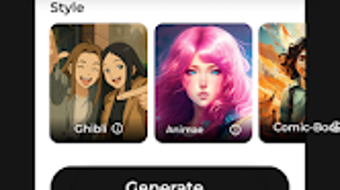
- Multiple Artistic Styles: Beyond Ghibli, the tool supports variations like watercolor, pixel art, and sketch, enabling users to experiment with different visual languages.
- Offline Functionality: Once installed, the application can operate without an internet connection, allowing uninterrupted creative sessions.
These features streamline the creative process by reducing the need for manual drawing or complex software. Users can rapidly prototype ideas, generate content for storytelling, or produce unique visuals for digital portfolios. The ability to generate images from minimal input makes it accessible to non-artists while still offering enough control for experienced creators to refine their output.
User Interface, Workflow & Performance
The user interface appears to be designed with simplicity in mind, focusing on a clean layout that prioritizes the text input field and image preview area. Navigation is likely intuitive, with minimal on-screen clutter to support a distraction-free creative experience. The workflow begins with entering a descriptive prompt, followed by a generation process that displays the resulting image in real time or near real time. Users can then refine the output using built-in filters or save the image directly to their device. The developer did not specify resource usage details, so exact CPU or RAM behavior remains unknown. Performance observations are based on general software behavior patterns. Stability during extended use is not documented, and no information was provided regarding crash rates or memory leaks. However, the inclusion of offline functionality suggests optimization for consistent operation without network dependency.
Compatibility & System Requirements
The software is designed to run on Android operating systems, though it is marketed as a desktop application. This discrepancy may indicate a platform-specific version or a misclassification. The application has a file size of 100 MB, suggesting a lightweight installation. The developer did not specify hardware requirements such as minimum RAM, processor speed, or storage space. Exact system requirements were not listed. Compatibility information was partially provided, with the OS limited to Android. Users should verify device compatibility before installation. No information was provided about support for other platforms such as Windows or macOS.
Pros and Cons
Pros
- Free to download and use with no hidden costs
- Intuitive text-to-image interface suitable for beginners
- Unique Ghibli-inspired artistic style sets it apart from generic AI tools
- Supports offline usage for uninterrupted creativity
- Offers multiple artistic styles beyond Ghibli, enhancing versatility
Cons
- Platform availability limited to Android despite desktop marketing
- Exact system requirements and performance data were not provided
- No information on update frequency or long-term feature roadmap
- Limited transparency regarding developer background and company history
- Dependence on AI model quality without user control over training data
FAQ Section
Is Ghibli Styles AI Photo Editor available for Windows or Mac?
Currently, the software is listed as compatible with Android. There is no confirmed support for Windows or macOS at this time.
Can I use the app without an internet connection?
Yes, the application supports offline functionality, allowing users to generate and edit images without requiring an active internet connection.
Is the software safe to download and install?
The app is available for free download and does not require payment. However, users should ensure they are downloading from an official source to maintain security.
How often are updates released?
While the developer mentions constant updates, specific release schedules or update frequency were not disclosed.
What type of license does Ghibli Styles AI Photo Editor use?
The software is offered as free-to-use with no visible licensing details. It is not classified as open-source, but no restrictions on usage were specified.
Final Thoughts + CTA
Ghibli Styles AI Photo Editor presents a compelling option for users interested in creating imaginative, Ghibli-inspired artwork through simple text prompts. Its focus on accessibility, offline use, and distinct visual style makes it a standout tool in the growing AI art space. While platform limitations and a lack of detailed system specifications may pose challenges for some users, the core functionality remains strong and well-targeted. The software is best suited for hobbyists, storytellers, and creatives seeking a low-barrier entry into digital art. With its free model and unique aesthetic, it offers significant value for personal and casual creative projects. Download Ghibli Styles AI Photo Editor now to unlock your imagination and bring your words to life in stunning visual form.
Guides & Tutorials for Ghibli Styles AI Photo Editor
How to install Ghibli Styles AI Photo Editor
- Click the Preview / Download button above.
- Once redirected, accept the terms and click Install.
- Wait for the Ghibli Styles AI Photo Editor download to finish on your device.
How to use Ghibli Styles AI Photo Editor
This software is primarily used for its core features described above. Open the app after installation to explore its capabilities.
User Reviews for Ghibli Styles AI Photo Editor 0
No reviews found





